
Trigger Shopify Flow on Customer Metafield Updates – Guide
We will assume the following scenario to understand how we can use the Customer Metafield Update trigger from the Flow Trigger Extensions app to tag products based on a customer's clothing size preference.
Scenario: Customer updates their size → All matching products are automatically tagged
A fashion retailer lets customers save their preferred clothing size in their profile. Every time a customer updates their size, Flow automatically finds all products available in that size and tags them, making it easy to build size-based collections, filters, and personalized recommendations.
The metafield custom.clothing_size on a customer record is updated to a new size value (e.g. "XL").
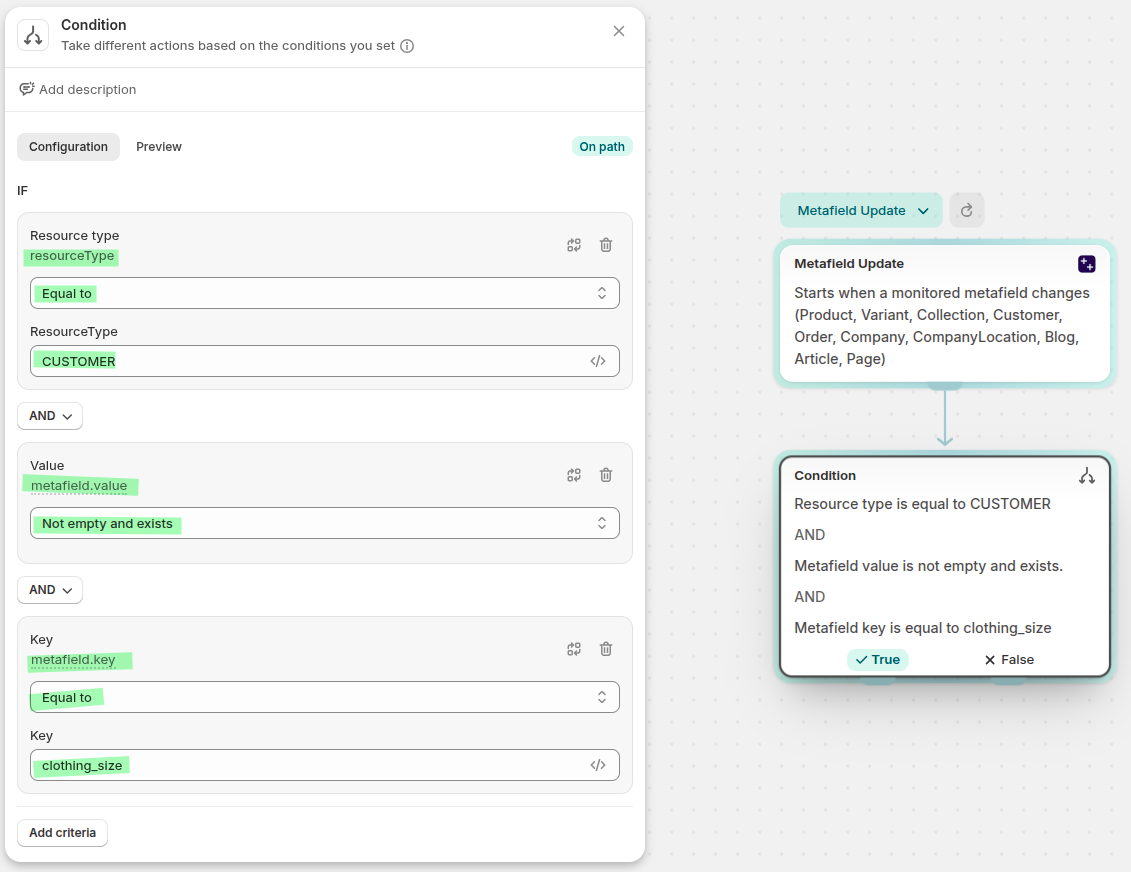
A condition checks that the metafield value is not blank, ensuring the workflow only runs when a valid size has been set.
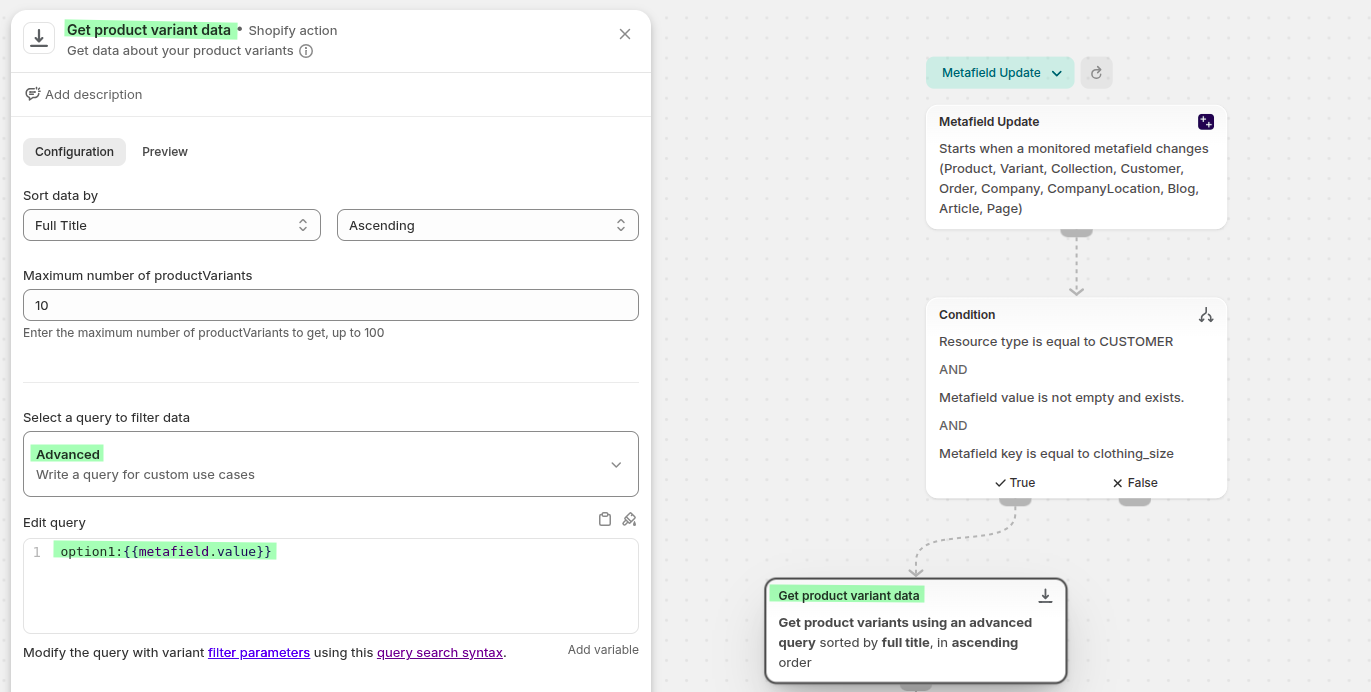
Flow queries all products that have a variant option matching the customer's size value (e.g. "XL").
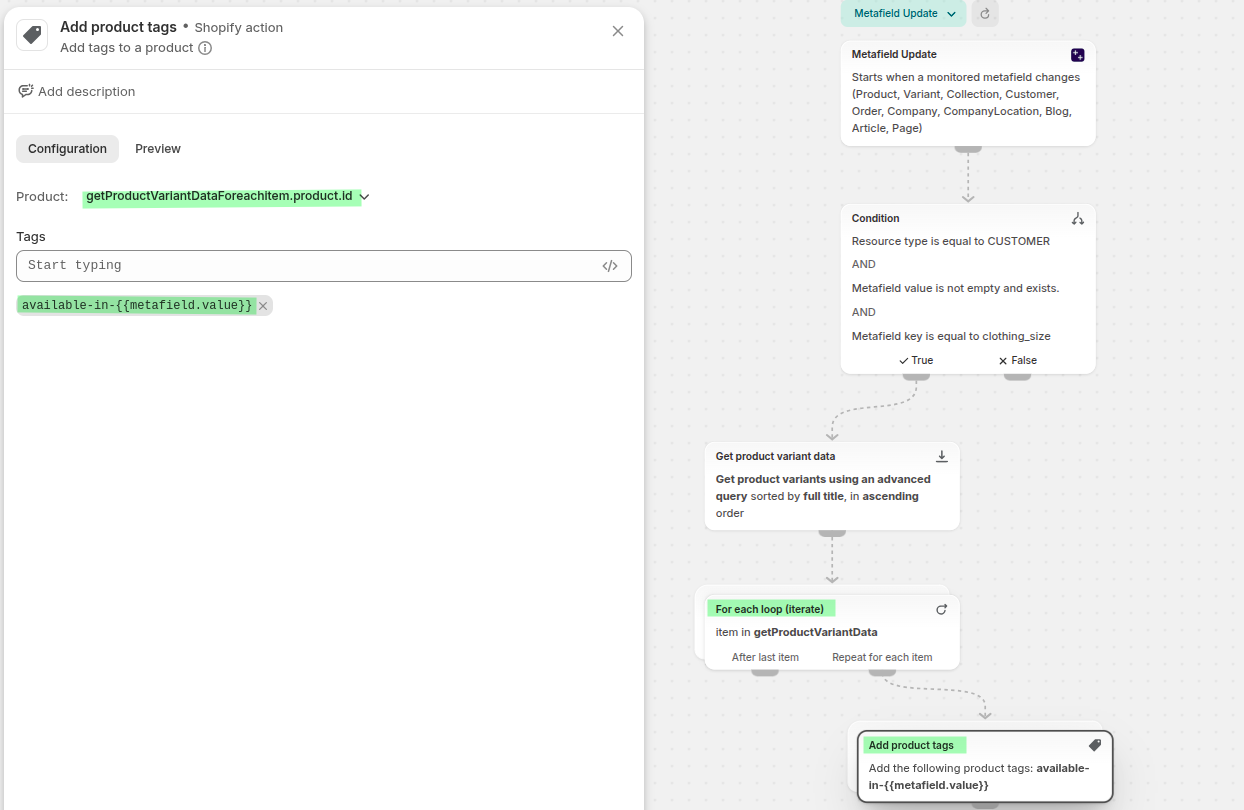
Each matched product is tagged with available-in-XL (or whatever size was set), making them easy to surface in size-specific collections and storefronts.
An email is sent to the customer letting them know new products in their size are available to shop.
How to build this flow
You can build this flow by following these 2 steps:
Add the Customer Metafield Trigger in the app
Create the Shopify Flow
You can also see these steps in the demo video below (video has no voice):
1) Add trigger to Customer Metafield
First you need to register the trigger on the customer metafield you want to monitor.
First make sure you have the Customer Access from the Flow Trigger Extension → Dashboard → Setup Guide you will see the Grant Customer access, you can also see the permissions from the Flow Trigger Extension → Permissions
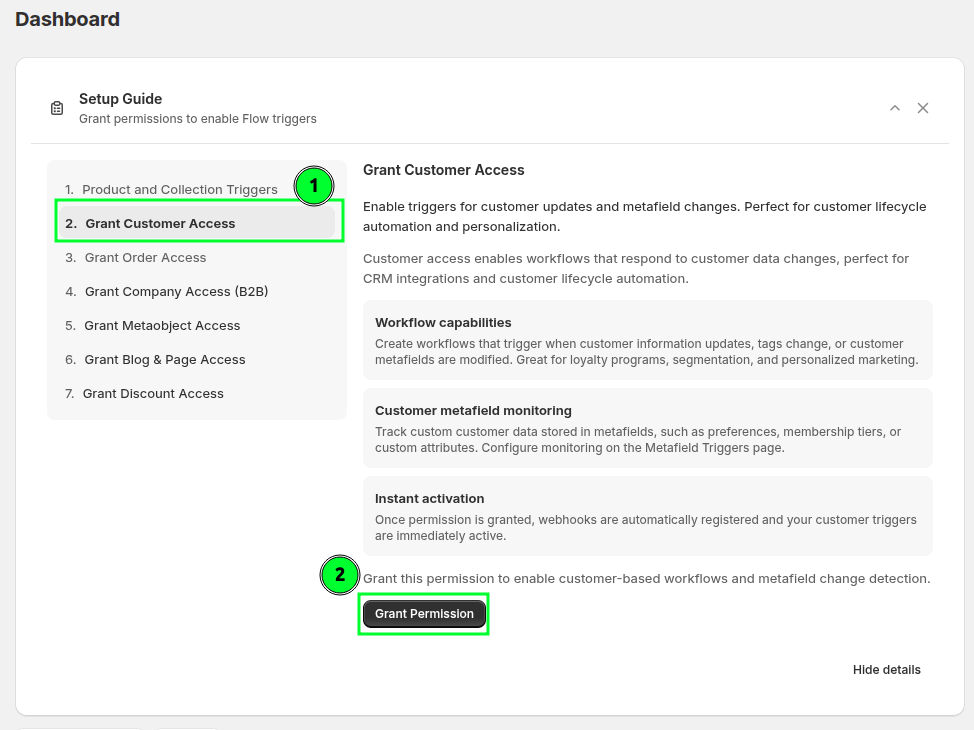
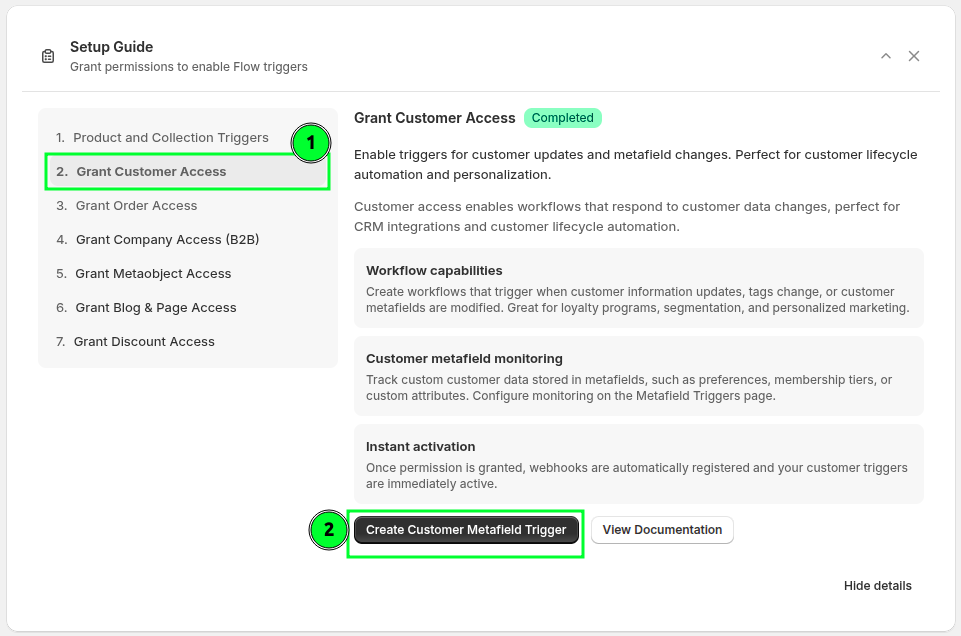
Then you have to create the Customer metafield trigger. If you do not see the Setup Guide, navigate directly to the app's metafield triggers page.
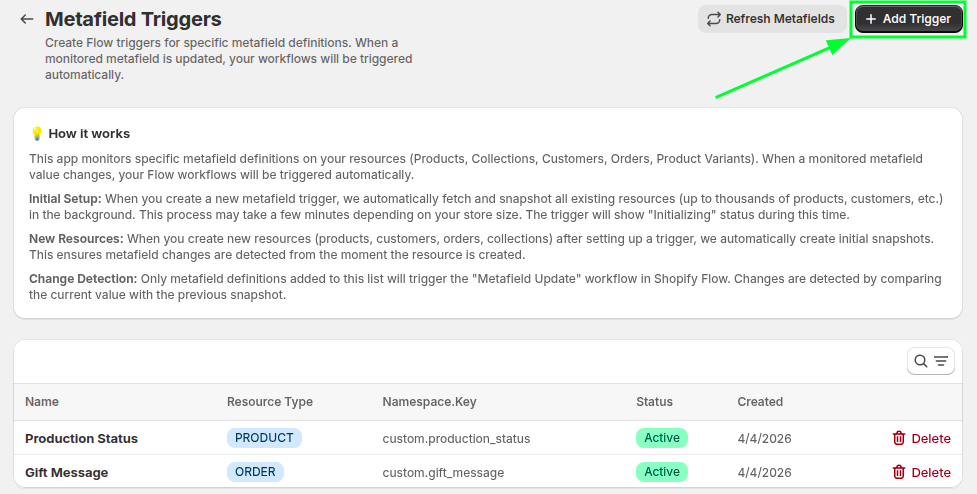
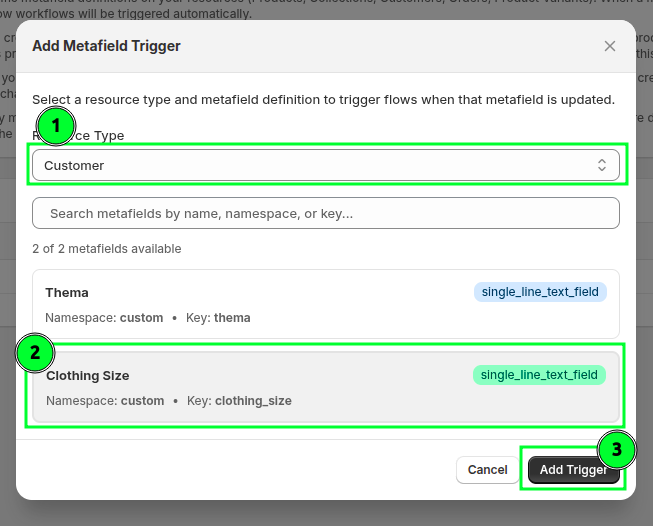
Press the Add Trigger button to create a new trigger.
Select the resource type Customer and search for the metafield
custom.clothing_size. Select it and press the Add Trigger button to confirm.
2) Create the Shopify Flow
Now create the Flow that finds matching products and tags them whenever the customer's size is updated.
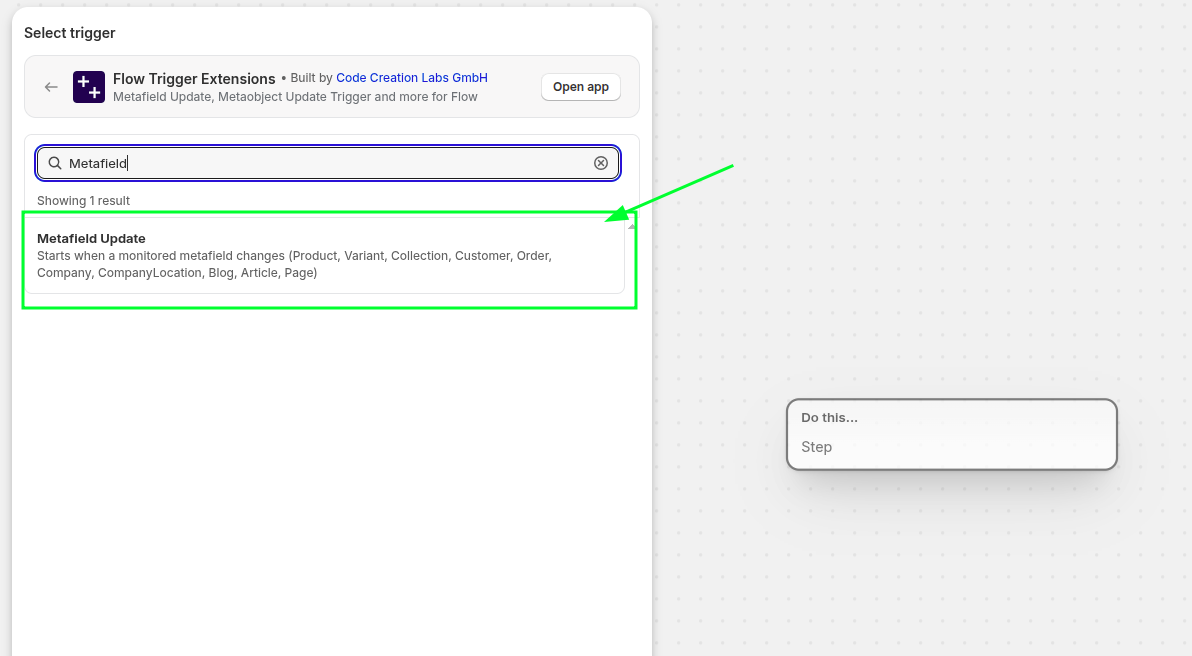
Open Shopify Flow and create a blank workflow. Select the Metafield Update trigger from the Flow Trigger Extensions app.
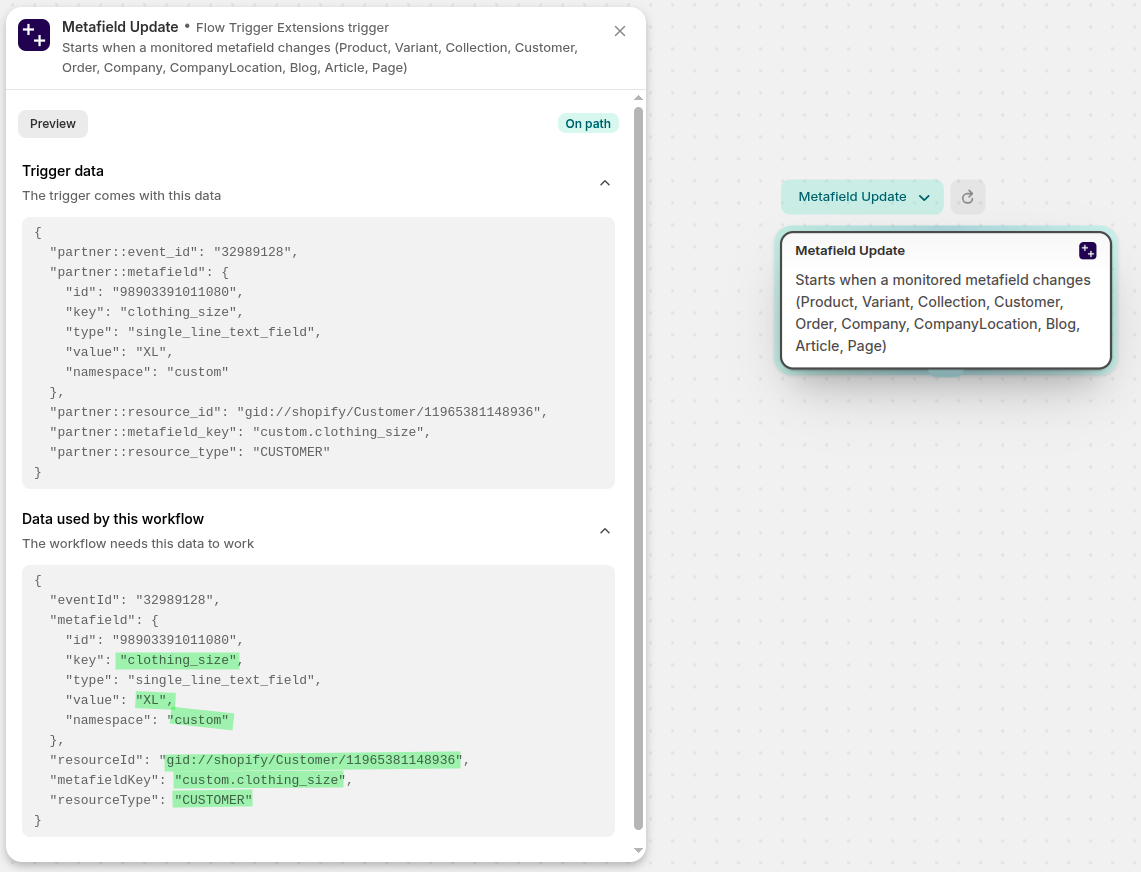
Click Record Event, then in a new tab update a customer's
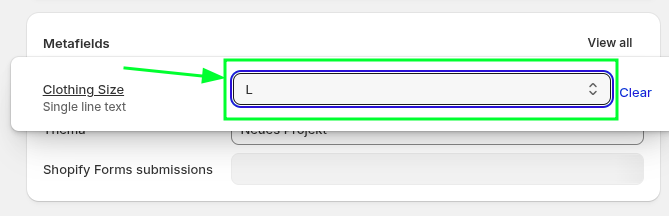
custom.clothing_sizemetafield to"XL"to capture a sample payload. Click Select Test Event to load the recorded payload into the workflow builder.
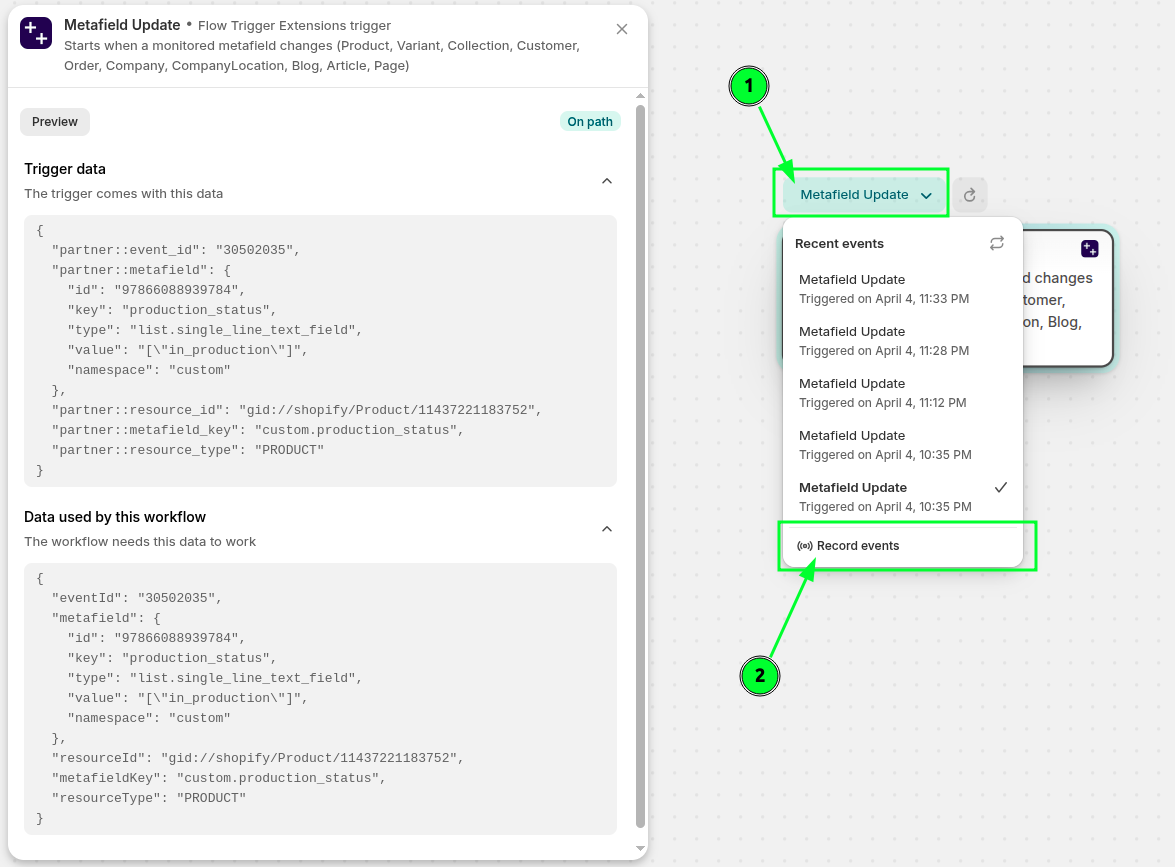
You will see the payload containing the customer data and the new metafield value. This holds the new size value the customer just set (e.g.
"XL").
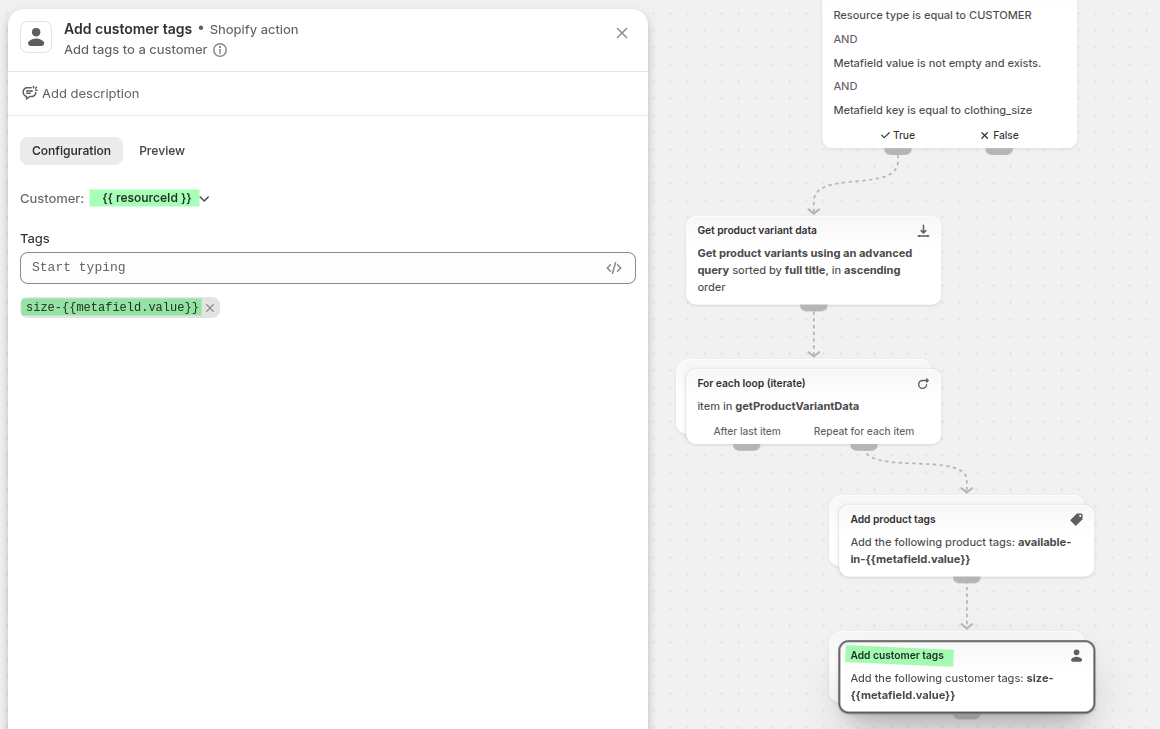
Add a Condition to check that the metafield value is not blank AND
metafield.key = "clothing_size"ANDresourceType = "CUSTOMER"
Add an Action: Get product variant data and filter by variant option1 matching the metafield value:
Variant option1 == {{ metafield.value }}This retrieves all products that have a variant in the customer's size.
Add an Action: Add tag to product for each product returned:
available-in-{{ metafield.value }}For a customer who set size"XL", this adds the tagavailable-in-XLto every matching product.
Optionally, add an Action: Add tag to customer to keep the customer record in sync:
size-{{ metafield.value }}