
How to Trigger Shopify Flow on Order Metafield Updates
We will assume the following scnario to understand how we can create order metafield update trigger from the Flow Trigger Extensions app
Scenario: Gift message added after order, packing team is alerted
A customer contacts support to add a gift note. Flow detects the change and notifies packing before the order ships.
Customer contacts support, a gift message is added to the order via a metafield update. Order metafield custom.gift_message is updated
Flow Trigger Extensions metafield trigger then fires the moment the order metafield changes, even after the order was originally placed.
Flow sends an alert to the packing team (email, Slack, or internal note) with the order number and gift message text, before it ships.
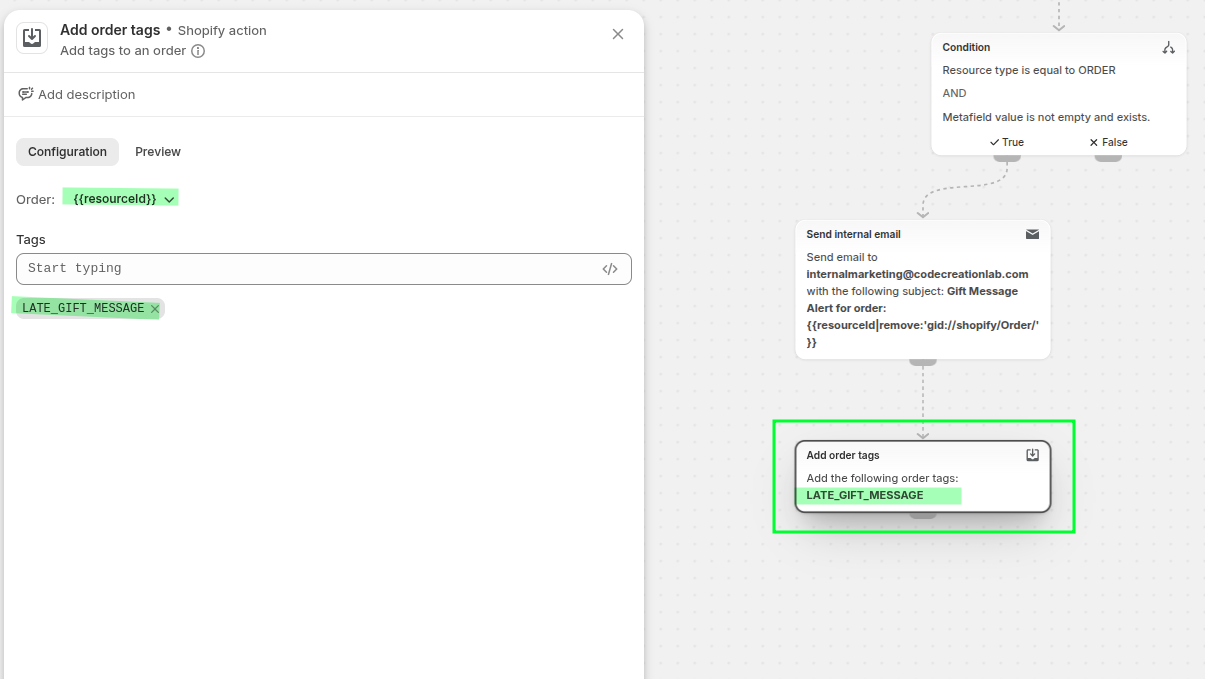
The order is tagged LATE_GIFT_MESSAGE so it's easy to filter and track in your admin.
How we will make this flow
we can make this flow by following these 2 steps:
Add trigger to Order Metafield
Create the Shopify flow
You can also see these steps in the demo video below (video has no voice):
1) Add trigger to Order Metafield
First you have to add trigger to the desired metafield for order, you can follow the following steps.
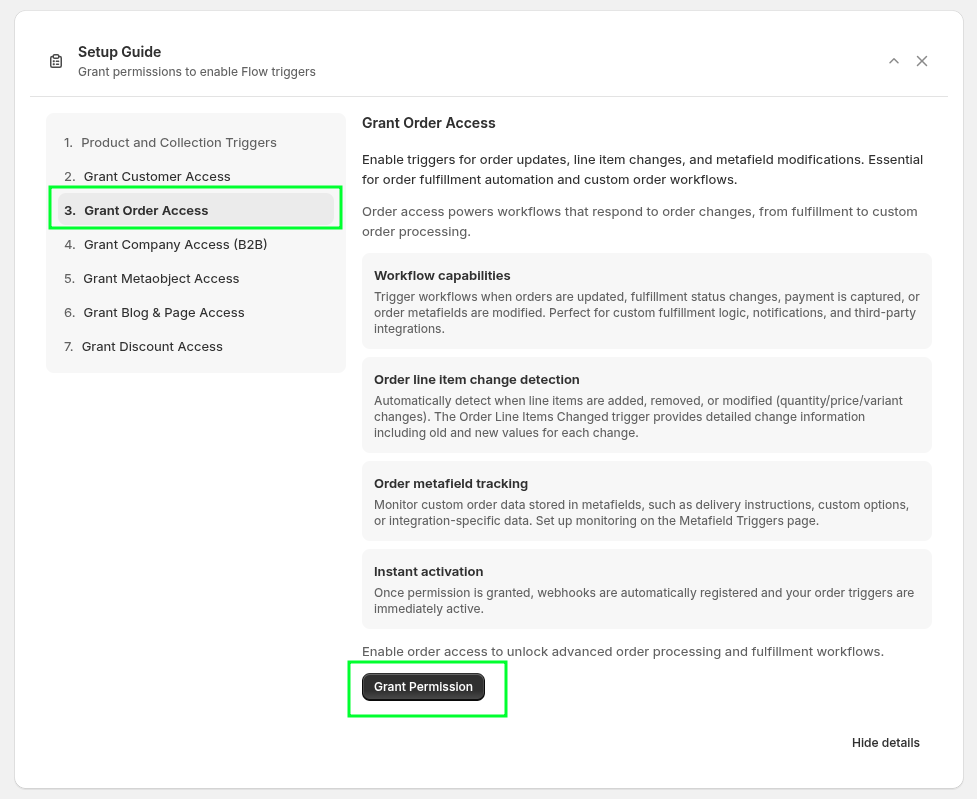
First make sure you have the Order Access from the Flow Trigger Extension → Dashboard → Setup Guide you will see the Grant order access, you can also see the permissions from the Flow Trigger Extension → Permissions
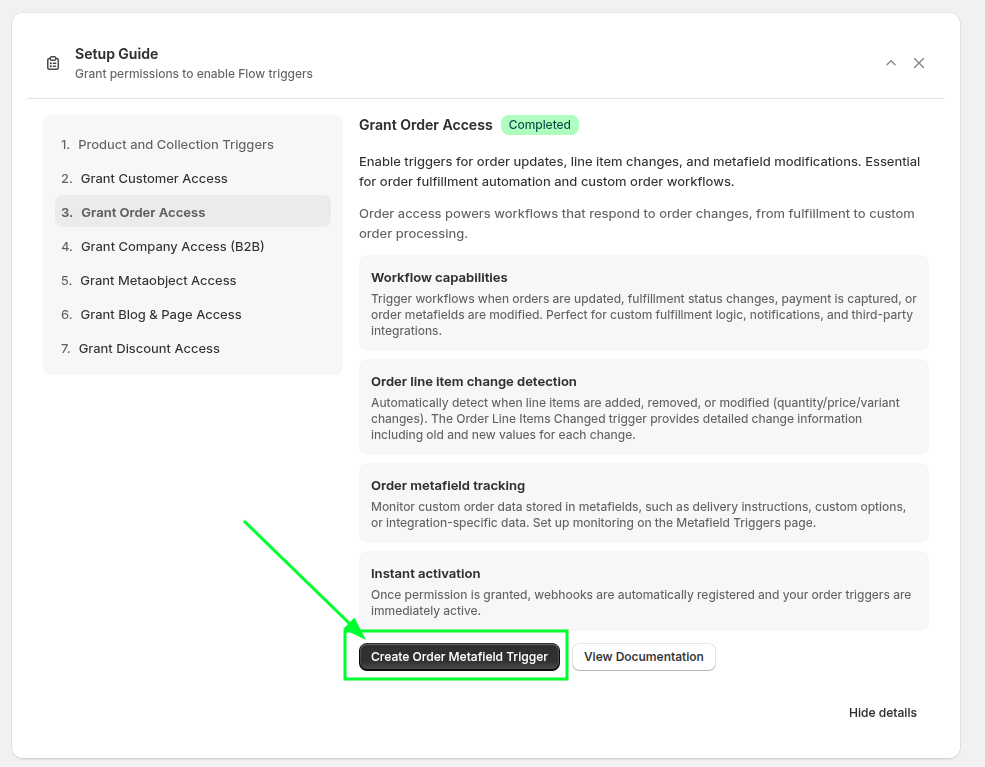
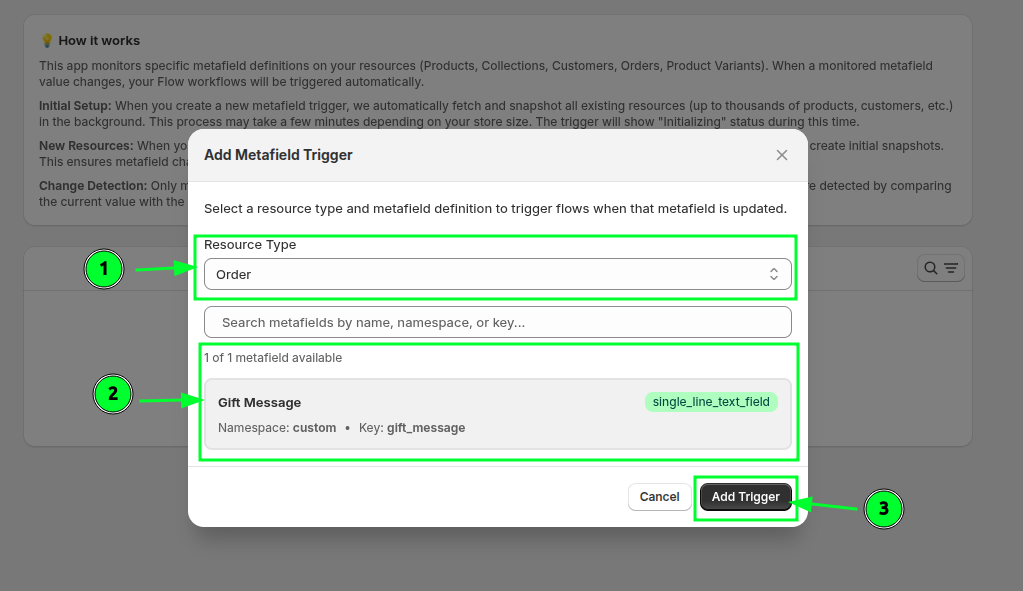
Then you have to create the Order Metafield Trigger
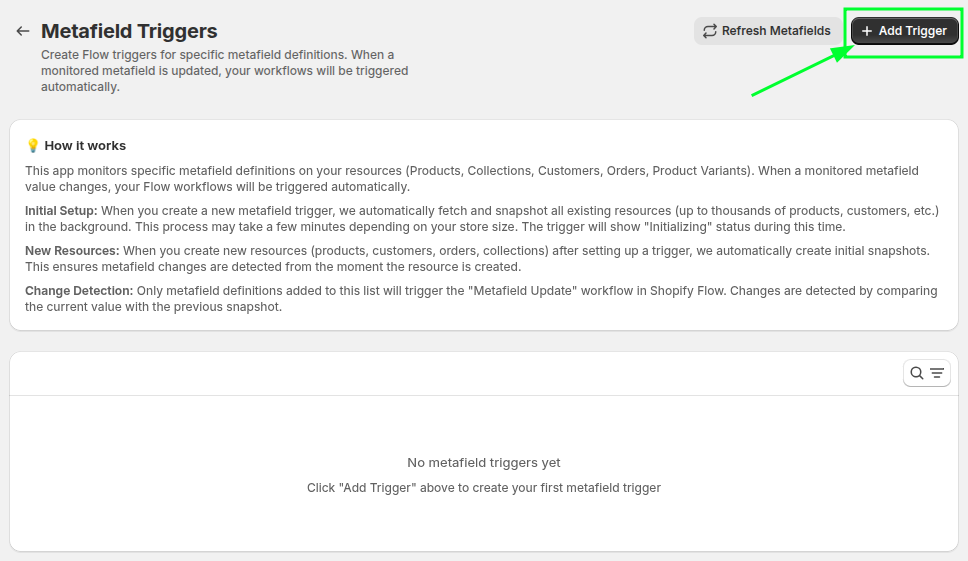
Then create the create the trigger pressing the Add Trigger button
Then select the resource type Order and select the desired metafield on which you want to add the trigger
2) Create the Shopify flow
Create the Shopify flow to take action (alert the packaking team via email before the order is shipped and tag the order)
I have attached the same flow file here, you can download, import and use for reference: (At the end of the page)
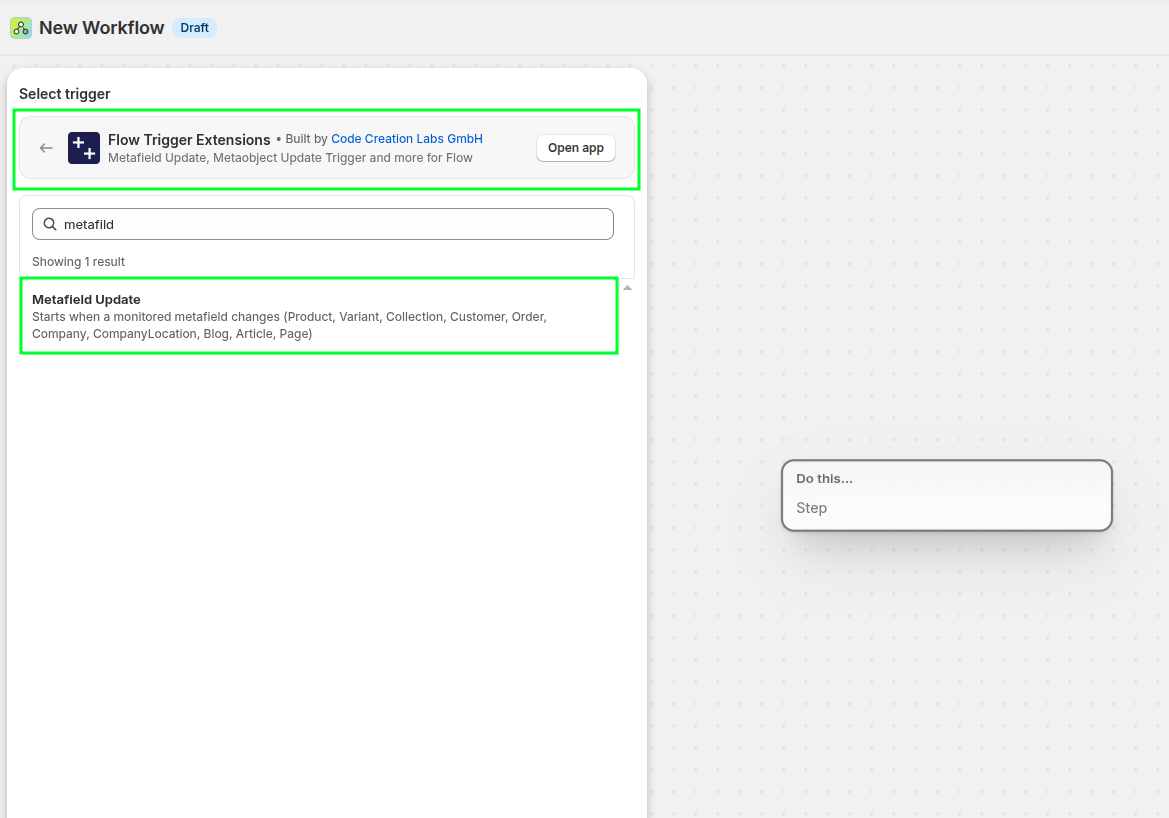
Create the blank flow and select the Metafield Update trigger from the Flow Trigger Extensions
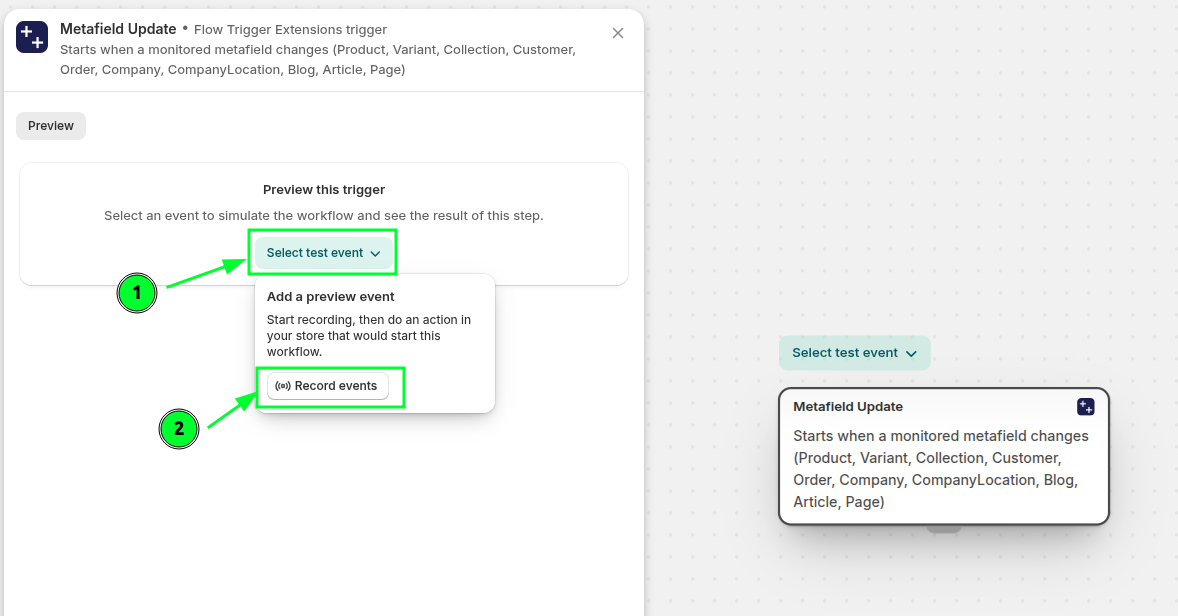
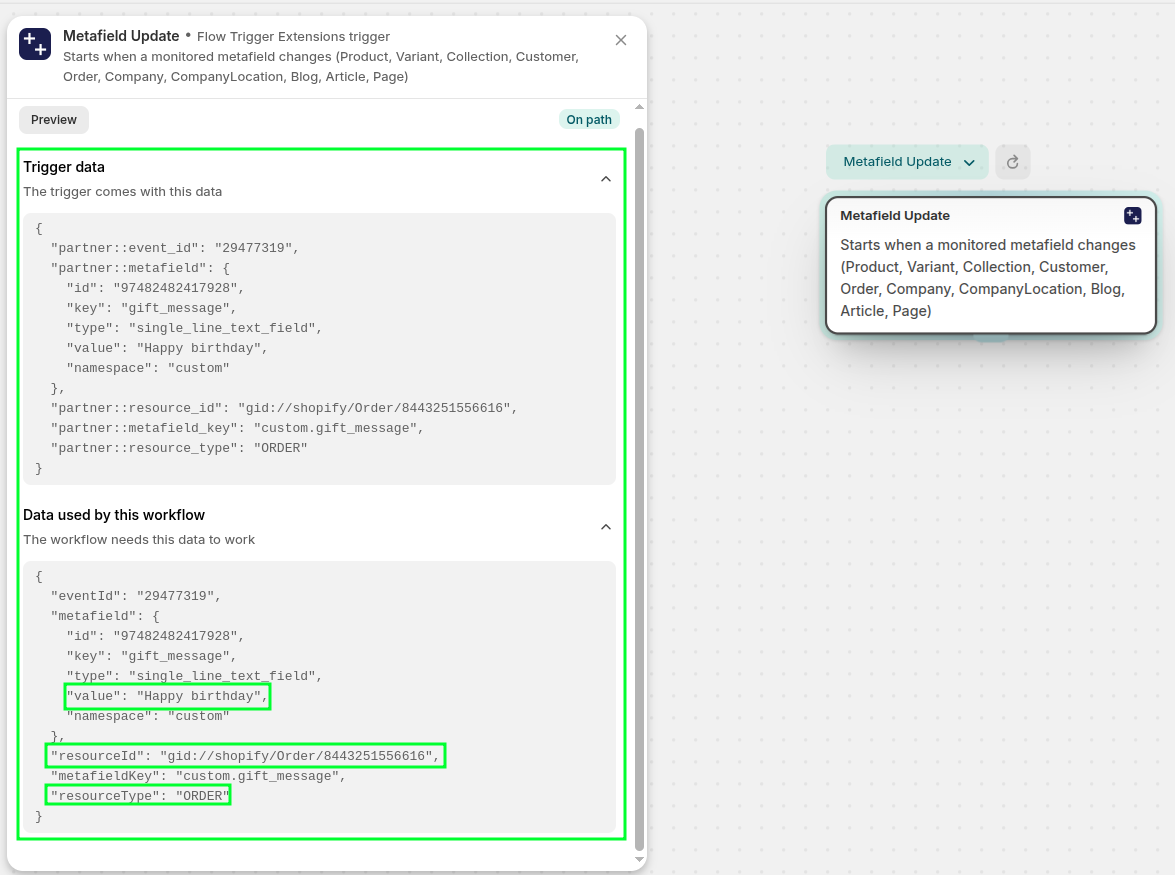
Then record the event by clicking the record event and then in a new tab, update the order metafild (gift message) to preview the payload to be used in the workflow. Click select text event and record events.
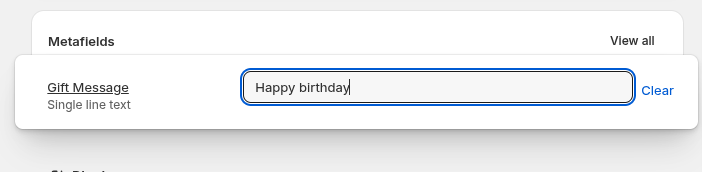
After pressing the record events button, go to new tab and update the order metafild (gift message).
You will be able to see the payload and based on this data, you can perform any action
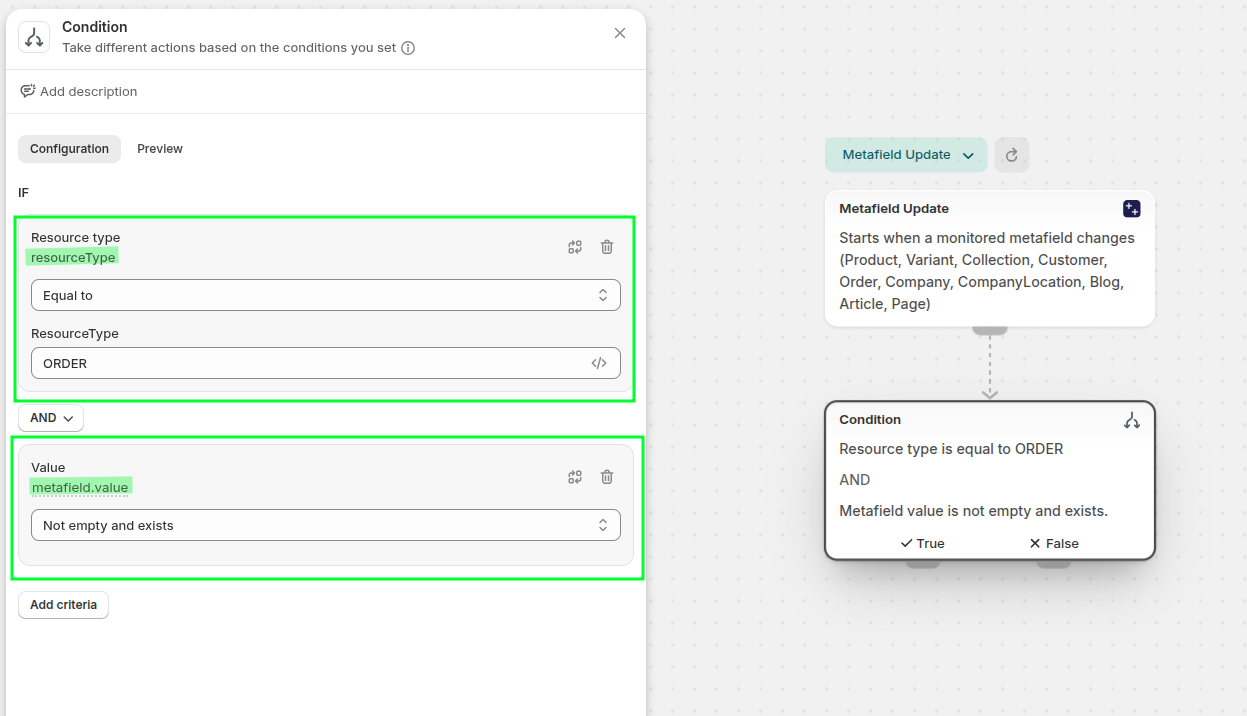
Now in this case, I have added the condition to see, if the updated metafield resource type is ORDER and the updated metafield has some value in it.
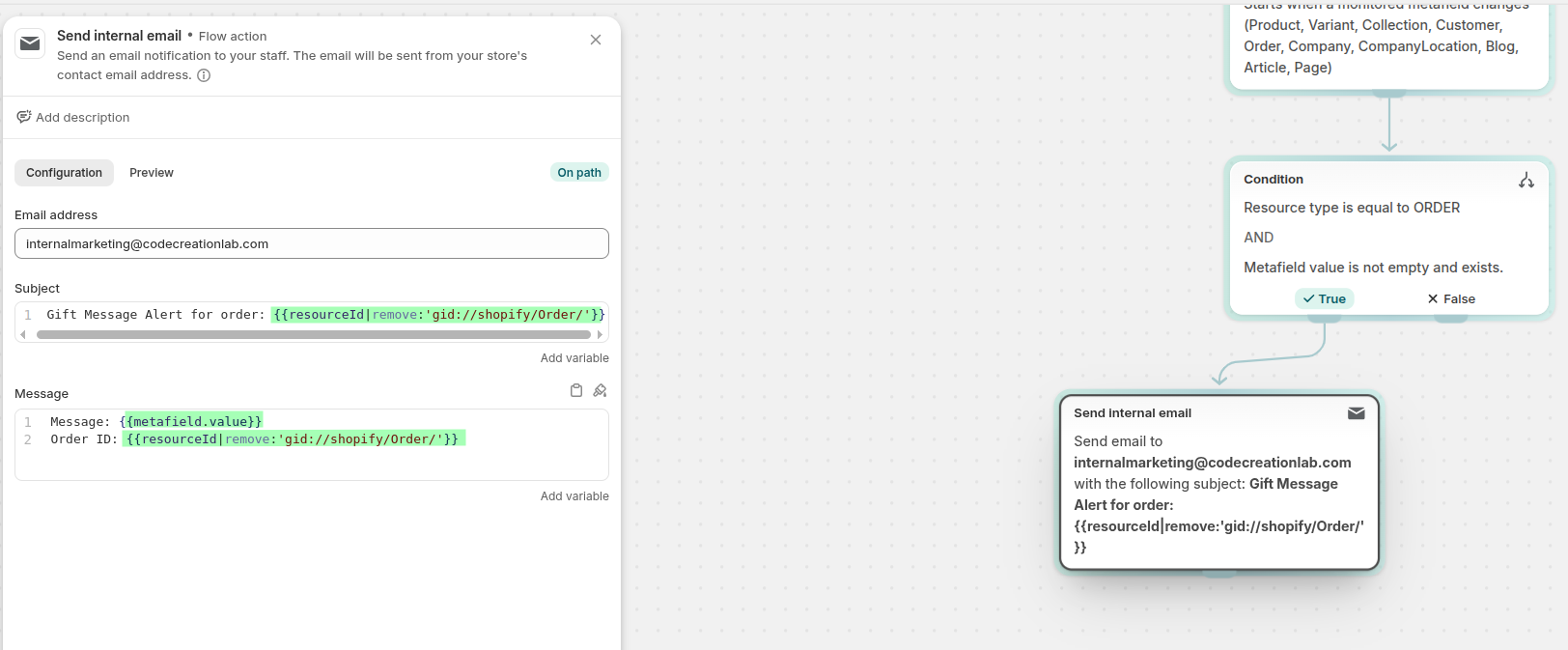
Then send the internal email to the packaging team (or any other action that you need to perform based on the order metafield, you also have the order id and you can get the order details and perform any action on the particular order as well, for example you can add the tag to the specific order)
After that lets see how we can add the tag to this specific order, you can use
Add order tagsaction and select the order with{{resourceId}}and add any tag you want