
Trigger Shopify Flow on Product Metafield Changes – Guide
We will assume the following scnario to understant how we can create product metafield update trigger from the Flow Trigger Extensions app
Scenario: Production status changes, right team is notified each time
A manufacturer tracks each stage of production in a metafield. Every status change triggers a notification to the team responsible for that stage.
The metafield custom.production_status is updated to a new stage value.
A condition branch reads the new status and routes to the matching action. in_production , quality_check or ready
Each status routes to a different team: production floor, QA team, or fulfilment, so only the relevant people are contacted at each stage.
How we will make this flow
We can make this flow by following these 2 steps:
Add trigger to Product Metafield
Create the Shopify flow
You can also see these steps in the demo video below (video has no voice):
1) Add trigger to Product Metafield
First you have to add trigger to the desired metafield for product, you can follow the following steps.
Create the Product Metafield Trigger, from the app dashboard → Setup Guide →
Product and Colleciton Triggers, if you do not see the Setup Guide, you can go to app metafield triggers page of the app.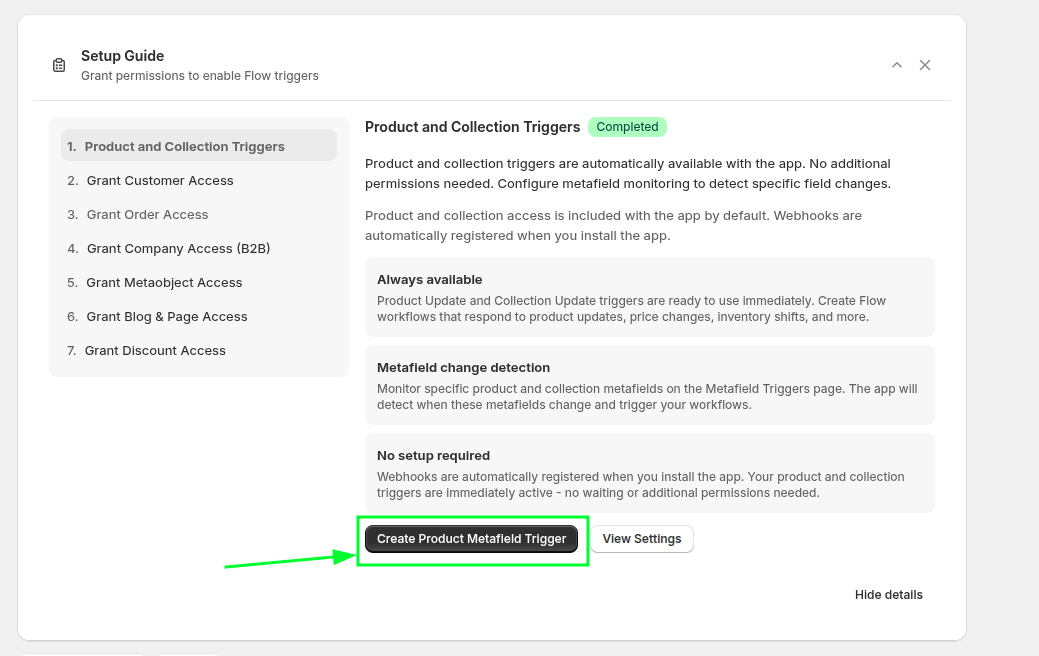
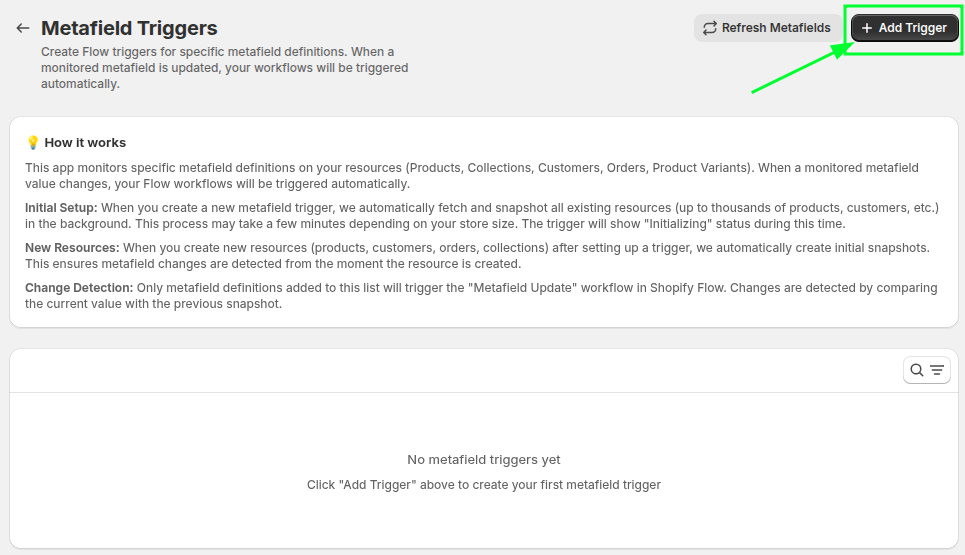
Then create the trigger pressing the Add Trigger button
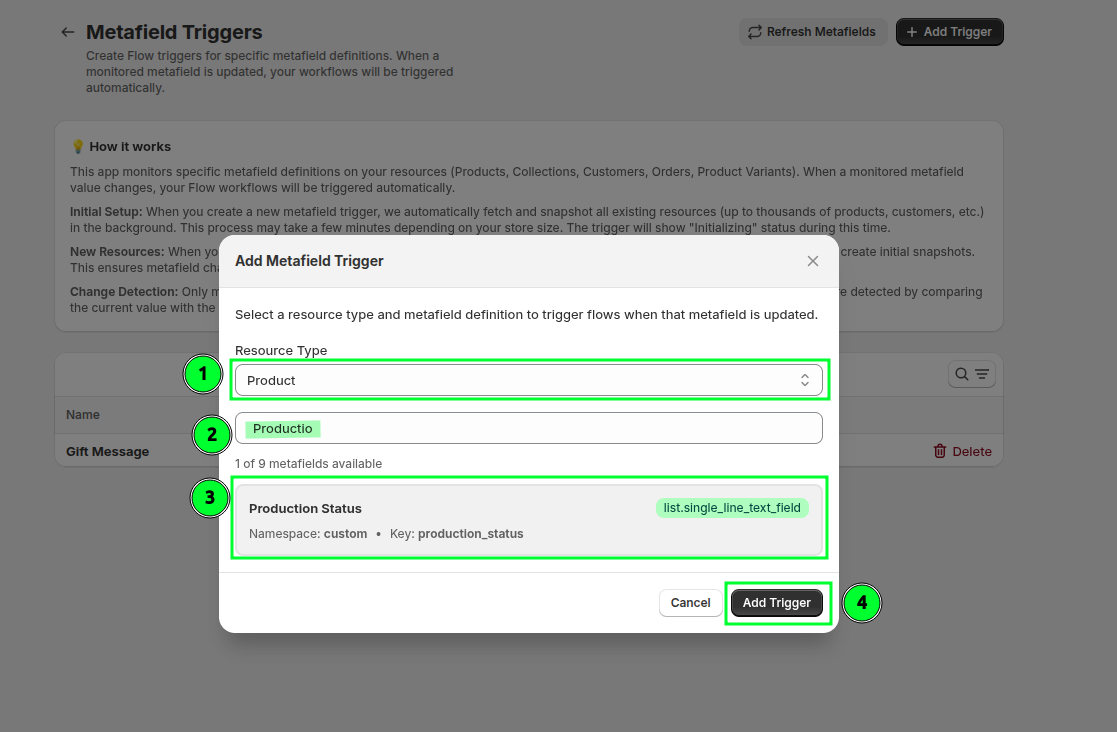
hen select the resource type Product and search for the desired metafield on which you want to add the trigger, select and press Add Trigger button
2) Create the Shopify flow
Create the Shopify flow to take action (alert the respective team based on status value)
I have attached the same flow file here, you can download, import and use for reference (At the end of the page)
Create the blank flow and select the Metafield Update trigger from the Flow Trigger Extensions
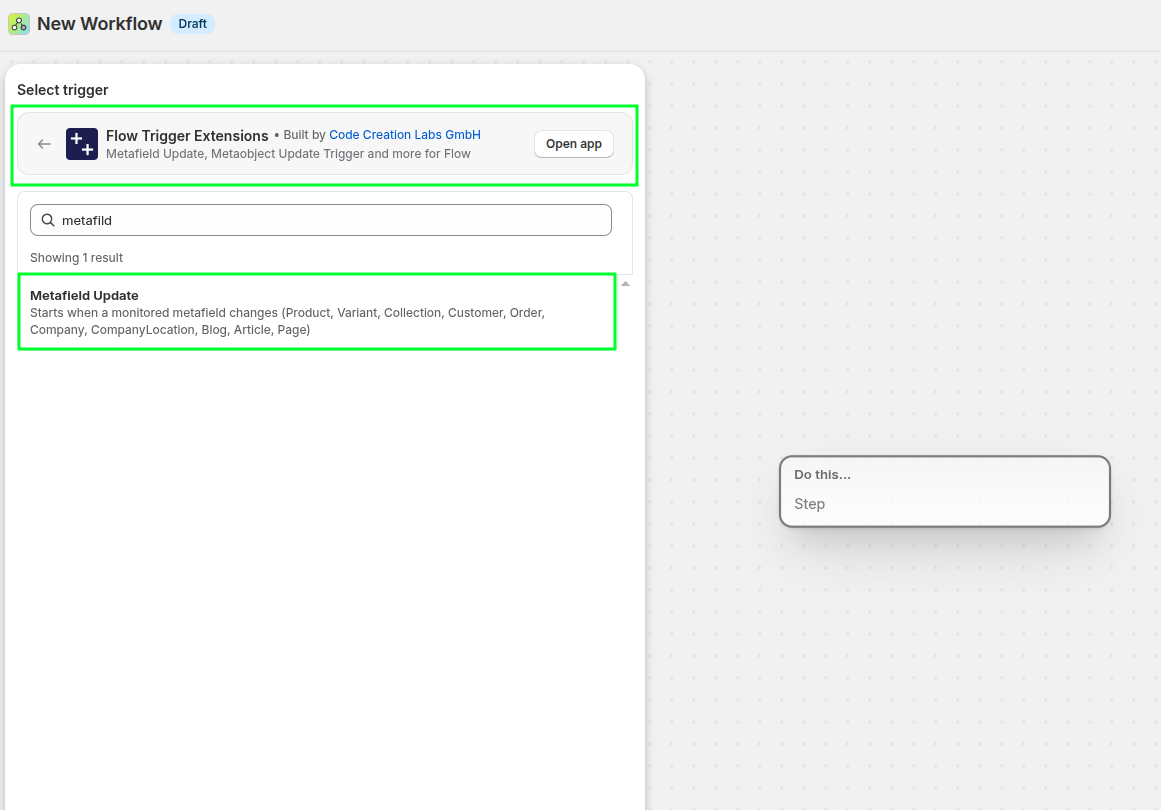
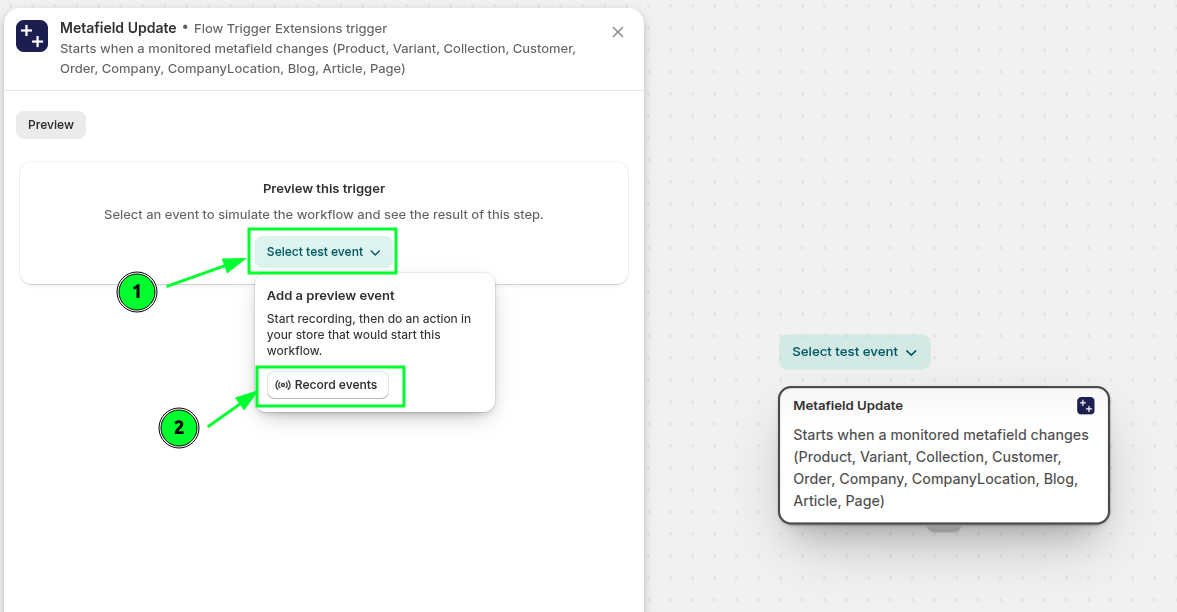
Then record the event by clicking the record event and then in a new tab, update the product metafild (Production Status) to preview the payload to be used in the workflow. Click select text event and record events.
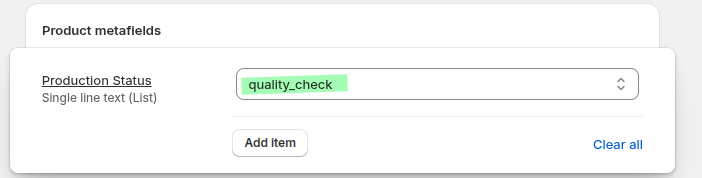
After pressing the record events button, go to new tab and update the product metafield (Production Status).
You will be able to see the payload and based on this data, you can perform any action
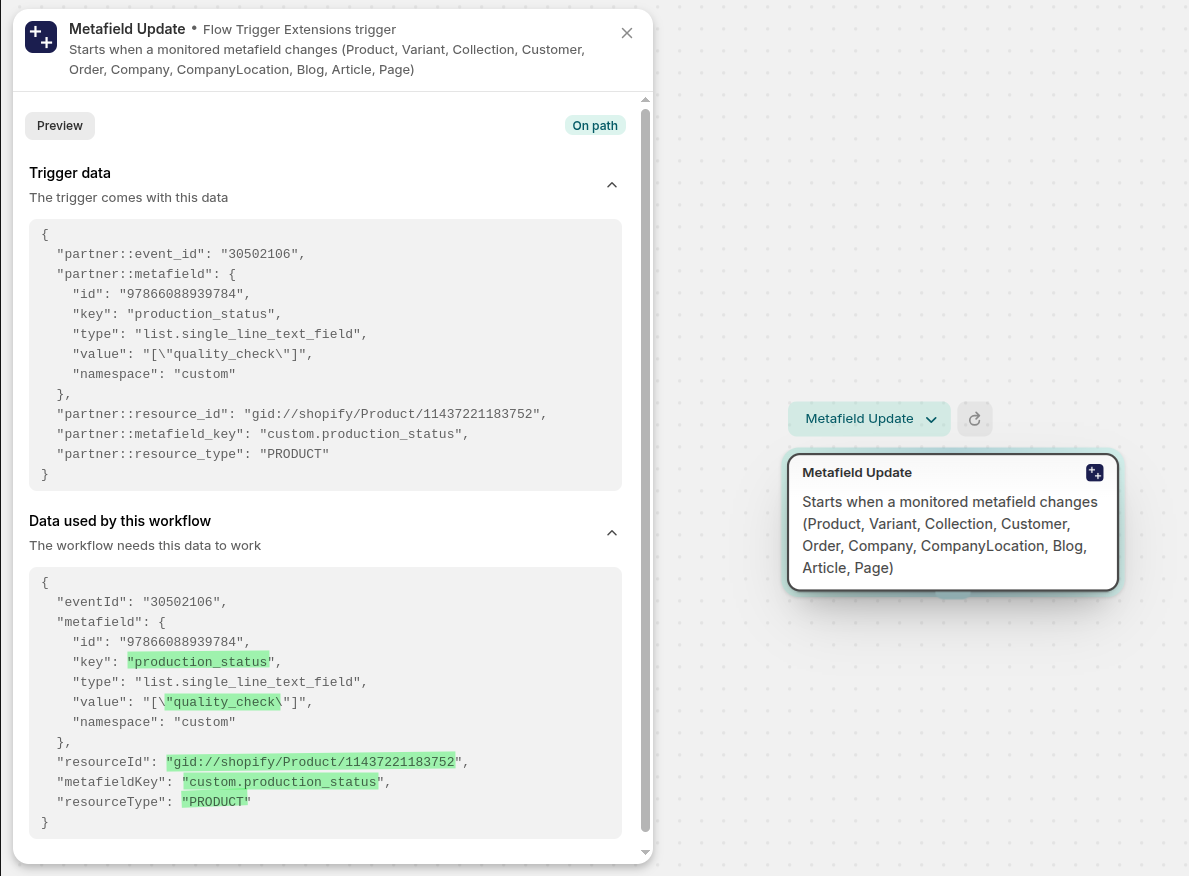
Now check if the resource type is
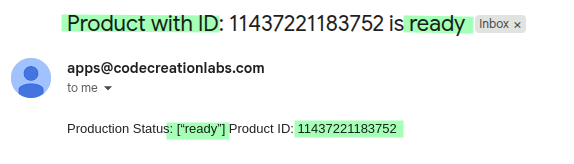
PRODUCTAND depending upon the metafield (production status) value, send an email to inform the corresponding team. In the email message, I have used the remove filter to removegid://Shopify/Product/from the product GID. By removing this part, now we can see the clean product id in the emails.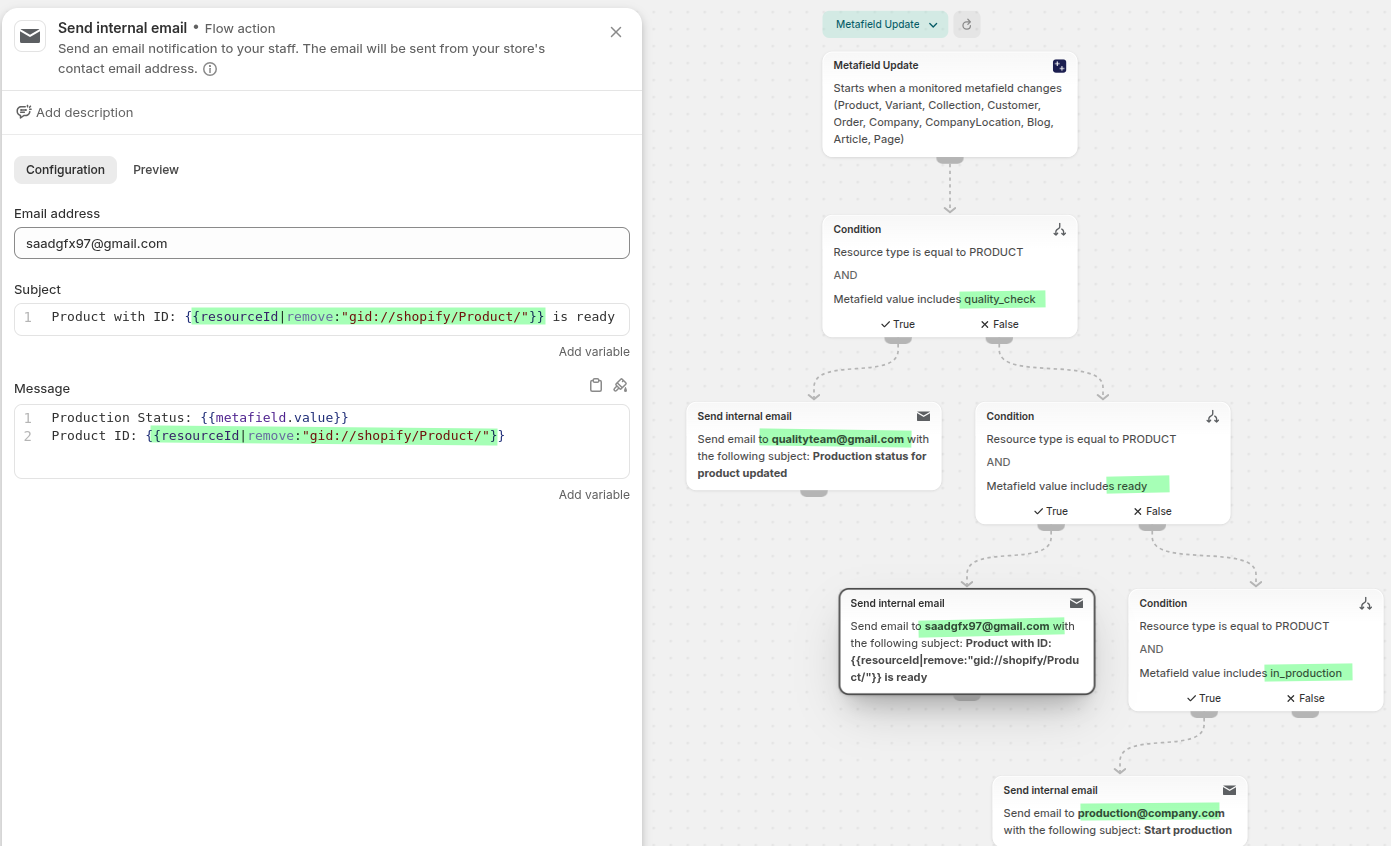
Email looks like this: