

Trigger Shopify Flow on Variant Price Changes – Guide
Shopify Flow does not include a native trigger for variant price edits. Flow Trigger Extensions fills that gap with the Product Variant Price Changed trigger, which starts a workflow as soon as a variant's price or compare-at price changes.
We will assume the following scenario to understand how we can use the Product Variant Price Changed from the Flow Trigger Extensions.
Scenario: Alert your merchandising team
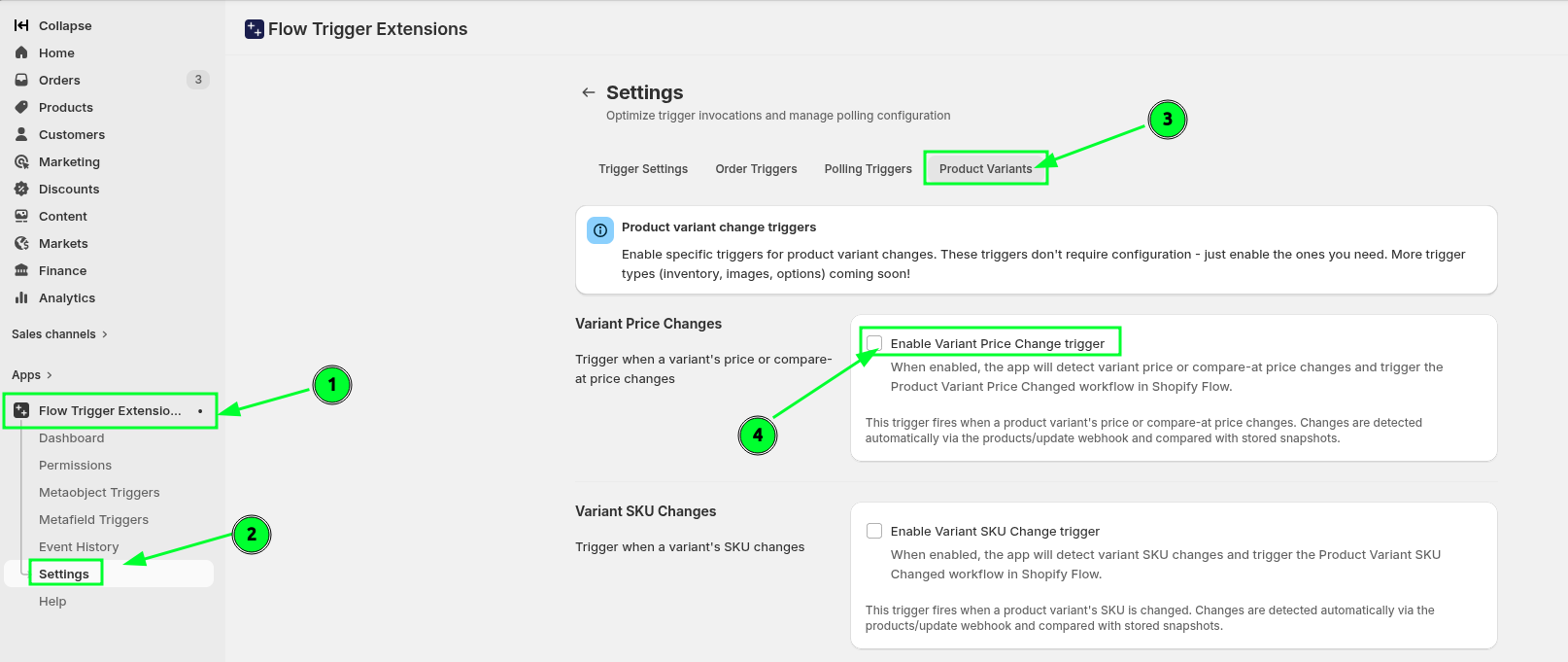
Enable this trigger from the app settings -> Product Variants -> Variant Price Changes
Product Variant Price Changed
Send internal email
How we will make this flow
You can also see these steps in the demo video below (video has no voice):
You can see the steps followed visually here:
Enable Variant Price Change trigger from Flow Trigger Extensions -> Settings -> Product Variants -> Variant Price Changes
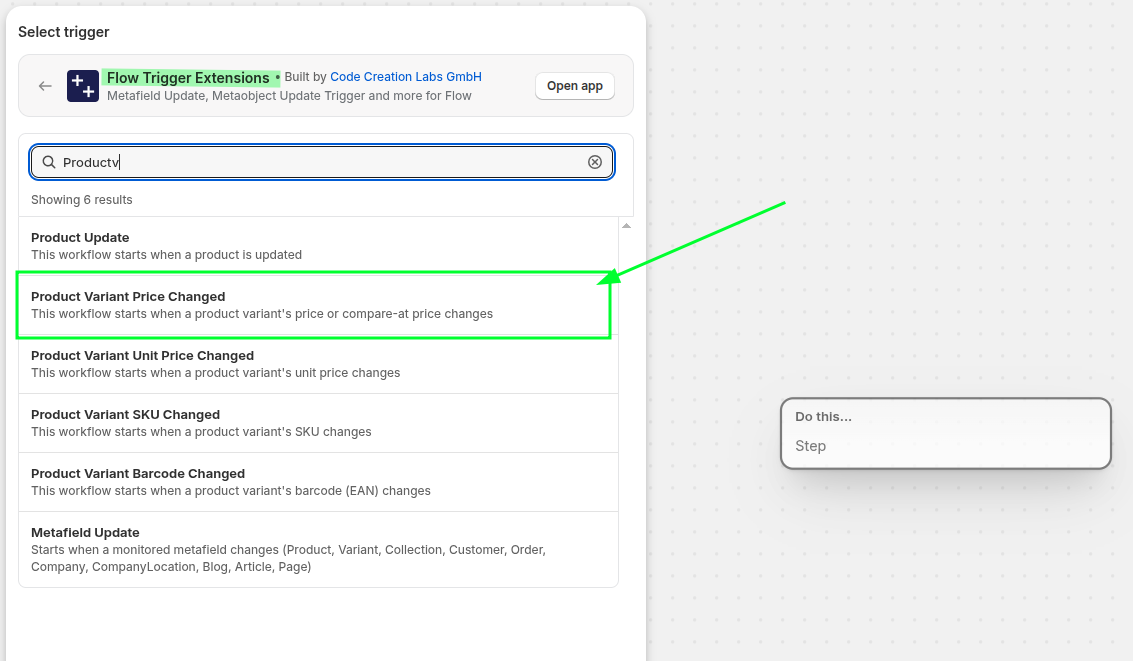
Then create a new blank workflow from the Shopify flow app and select the Product Variant Price Changed from the Flow Trigger Extensions app
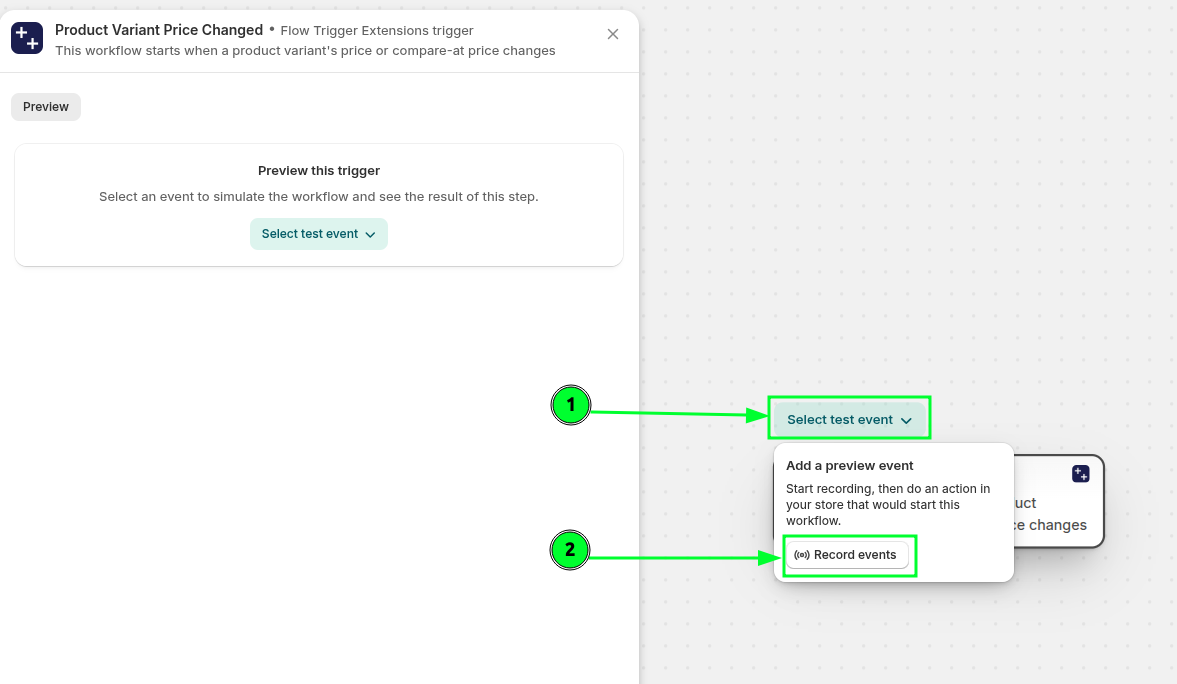
Then press Select test event and select Record events
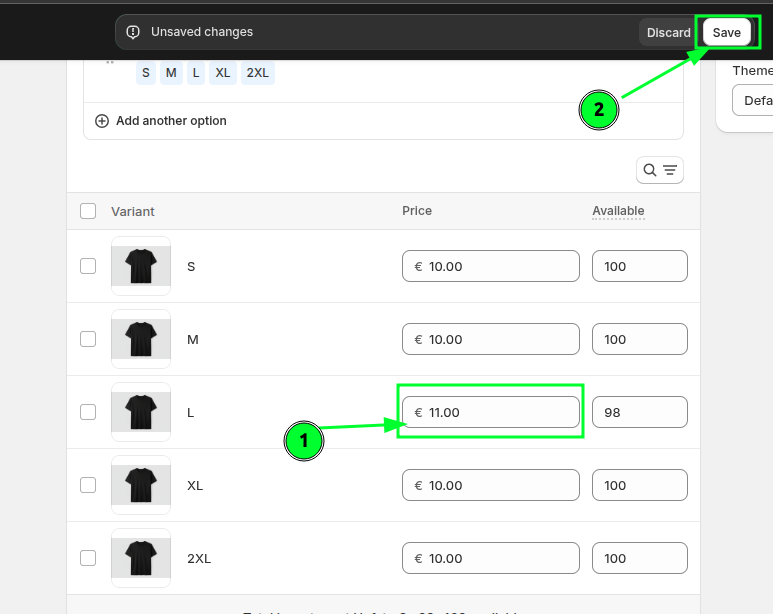
In the new Tab, update the variant price and save.
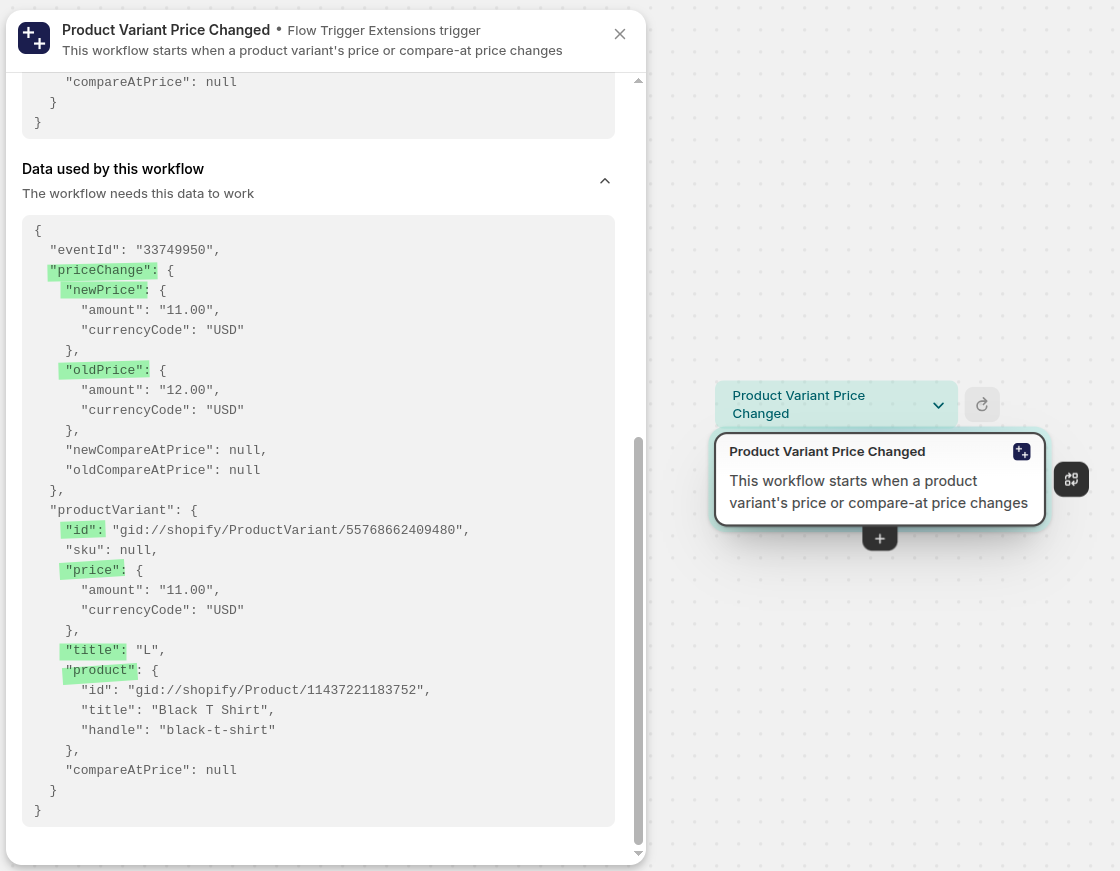
You will see the recorded event, select that event and the payload of this event will apear in the left panel. The payload has old price, new price, variant id, sku, title and the product information. You can take further actions based on this data.
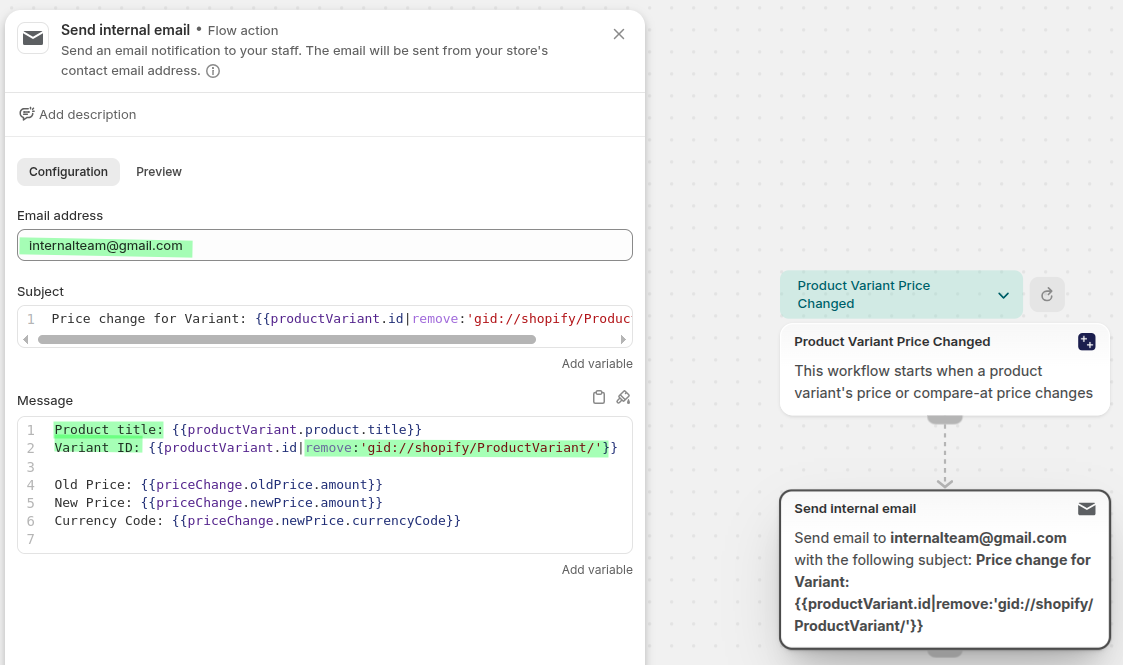
Now we will send an email to the internal team about the price change. I have used the remove filter to remove
gid://Shopify/ProductVariant/from the product GID. By removing this part, now we can see the clean variant id in the emails.
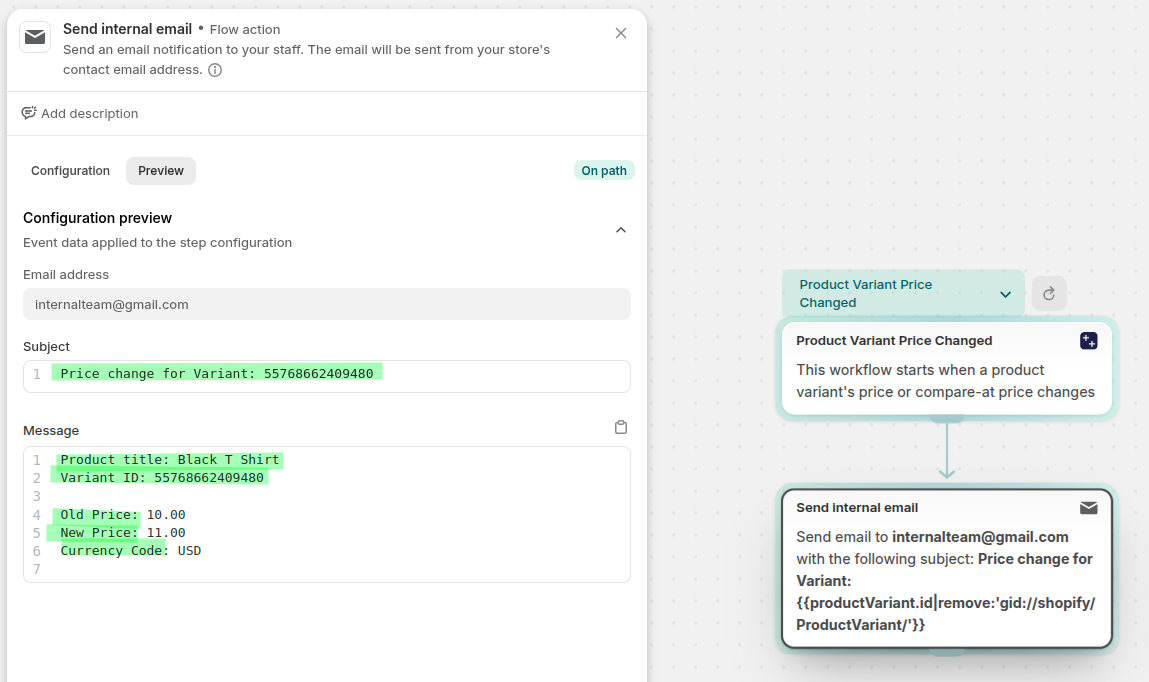
The email content looks like this:
Related pages
See all trigger categories available in Flow Trigger Extensions.
Learn when to use a monitored product metafield instead of a built-in product trigger.
See how monitored order metafields work in Shopify Flow.